Christian D. Van Norden

  • How to Master Social Media Ads Pricing Without Losing Your Shirt

    How to Master Social Media Ads Pricing Without Losing Your Shirt

    What You’re Actually Paying for Social Media Ads in 2026

    Social media ads pricing is one of the most searched — and most misunderstood — topics in digital marketing today. So let’s answer the core question right away:

    How much do social media ads cost in 2026?

    Cost Type Typical Range
    Daily ad spend $15 – $200/day
    Monthly ad spend $200 – $50,000+/month
    Agency management fees $450 – $6,000/month
    Average small business monthly total $750 – $2,500/month
    Annual total (all-in) $10,000 – $25,000/year

    Platform cost benchmarks at a glance:

    • Facebook — $0.44 avg. CPC / ~$11.20 avg. CPM
    • Instagram — $0.20–$2.00 avg. CPC / ~$6.70 avg. CPM
    • LinkedIn — $5.26+ avg. CPC (most expensive)
    • TikTok — $1.00 avg. CPC / $10.00 avg. CPM
    • Pinterest — $0.10–$1.50 per click
    • YouTube — $0.10–$0.30 per view

    These numbers are benchmarks, not guarantees. Your actual costs depend on your industry, audience, ad quality, and timing.

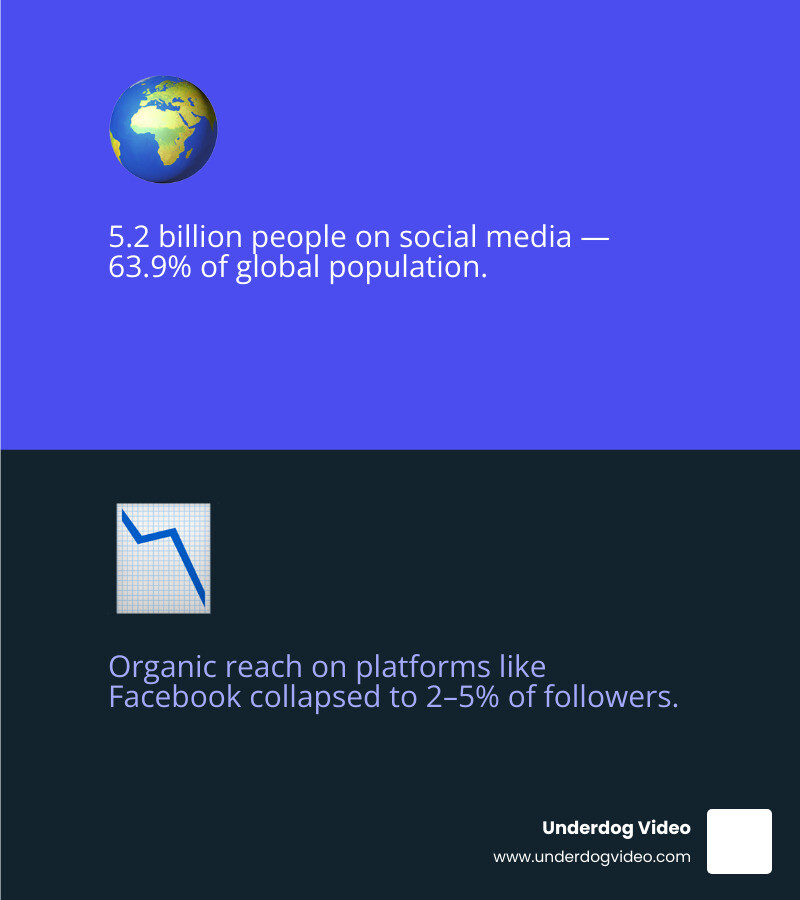
    With over 5.2 billion people on social media globally — roughly 63.9% of the entire world population — paid social advertising is no longer optional for brands that want to grow. Organic reach on platforms like Facebook has collapsed to just 2–5% of your followers. Paid ads are now the price of entry.

    But here’s the problem most small business owners run into: they set a budget, launch some ads, and burn through cash with little to show for it. Not because social ads don’t work — 74% of businesses report they do — but because the pricing structure is genuinely confusing. You’re navigating auctions, bidding strategies, management fees, creative costs, and platform minimums all at once.

    This guide cuts through all of that.

    I’m Christian D. Van Norden, founder of Underdog Video and a video editor with 20+ years of experience producing conversion-focused content for brands across hospitality, travel, and corporate sectors — including managing a $75,000 ad budget at The Plaza Hotel. Understanding social media ads pricing has always been central to my work, because the best-edited ad in the world fails if the budget strategy behind it is broken. Let’s make sure yours isn’t.
    2026 social media advertising pricing ecosystem infographic showing platforms, cost ranges, and pricing models infographic

    The Core Components of Social Media Ads Pricing

    magnifying glass over a financial ledger

    To master social media ads pricing, we first have to break down exactly where your dollars go. It isn’t just one flat fee you pay to “the internet.” Instead, your total investment is a combination of several moving parts.

    Ad Spend vs. Management Fees

    The most common point of confusion is the difference between what you pay the platform and what you pay the experts.

    • Ad Spend: This is the money paid directly to Meta, TikTok, or LinkedIn to display your ads.
    • Management Fees: This is what you pay an agency or freelancer to build, monitor, and optimize your campaigns. Typically, agency management costs between $450 and $6,000 per month, or a percentage (usually 10%–20%) of your total ad spend.

    The Auction Mechanics: Bid vs. Budget

    Social media platforms don’t sell ad space like a billboard. They use a live auction. When you set a budget, you are telling the platform the maximum you want to spend over a day or a month. When you set a bid, you are telling the platform the maximum you are willing to pay for a single action, like a click.

    In 2026, the auction doesn’t just go to the highest bidder; it goes to the best “match.” Platforms reward high-quality, relevant ads with lower costs. If your video is engaging, you’ll likely pay less than a competitor with a boring ad, even if they have a bigger budget.

    Common Pricing Models

    Understanding these acronyms is vital for calculating How Much Social Media Ads Really Cost in 2026:

    • CPC (Cost Per Click): You pay when someone clicks your ad. Great for driving traffic.
    • CPM (Cost Per Mille): You pay for every 1,000 impressions (views). Ideal for brand awareness.
    • CPA (Cost Per Action/Acquisition): You pay when someone completes a specific goal, like signing up for a newsletter or buying a product.
    • CPV (Cost Per View): Specific to video platforms like YouTube or TikTok.

    Hidden Costs: Talent, Tools, and the “Learning Phase”

    Don’t forget the “invisible” costs. Creative production — the cost of filming and editing high-quality video — is a major factor. In 2026, video content generates 3.2x more engagement than static images, making it a mandatory budget line item.

    Additionally, every new campaign enters a Learning Phase. During this time (usually the first 50 conversions), algorithms are figuring out who to show your ad to. Expect costs to be 15%–25% higher during this initial period before the pricing stabilizes.

    Platform Breakdown: What You’ll Pay in 2026

    Where you spend your money is just as important as how much you spend. Each platform has its own “vibe” and its own price tag.

    Platform Avg. CPC Avg. CPM Primary Audience
    Meta (FB/IG) $0.44 $11.20 Everyone (especially 25-65+)
    TikTok $1.00 $10.00 Gen Z & Millennials
    LinkedIn $5.60 $6.59 B2B Professionals
    YouTube $0.11-$0.40 $9.68 Video searchers
    Pinterest $0.10-$1.50 $30.00 Shoppers/Planners

    According to the Social Media Ads Cost Breakdown by Platform – AdRoll, pricing varies wildly based on intent. For example, Pinterest has a high CPM because users there are in “buying mode,” making that impression more valuable to e-commerce brands.

    Understanding Facebook and Instagram Social Media Ads Pricing

    Meta remains the heavyweight champion of digital advertising. While Facebook is often seen as the “Yellow Pages” for Gen X and Boomers, Instagram is the king of engagement.

    To get the most out of Meta, we always recommend installing the Meta Pixel and Conversion API. These tools send signals back to the platform, helping the algorithm find customers for less money. Be prepared for seasonal spikes: during Q4 (Black Friday/Cyber Monday), CPMs can jump by 66% as competition heats up.

    High-Stakes Platforms: LinkedIn and TikTok Social Media Ads Pricing

    If you are in the B2B space, LinkedIn is your playground — but it isn’t cheap. With an average CPC of $5.60, it’s the most expensive platform, but it allows you to target people by job title, seniority, and company size.

    On the flip side, TikTok has become the “new kid on the block” that everyone needs to pay attention to. TikTok requires a $50 minimum daily campaign budget, which is higher than Meta’s $1 minimum. However, TikTok’s oCPM (Optimized CPM) bidding is incredibly effective at finding users likely to convert on vertical video ads.
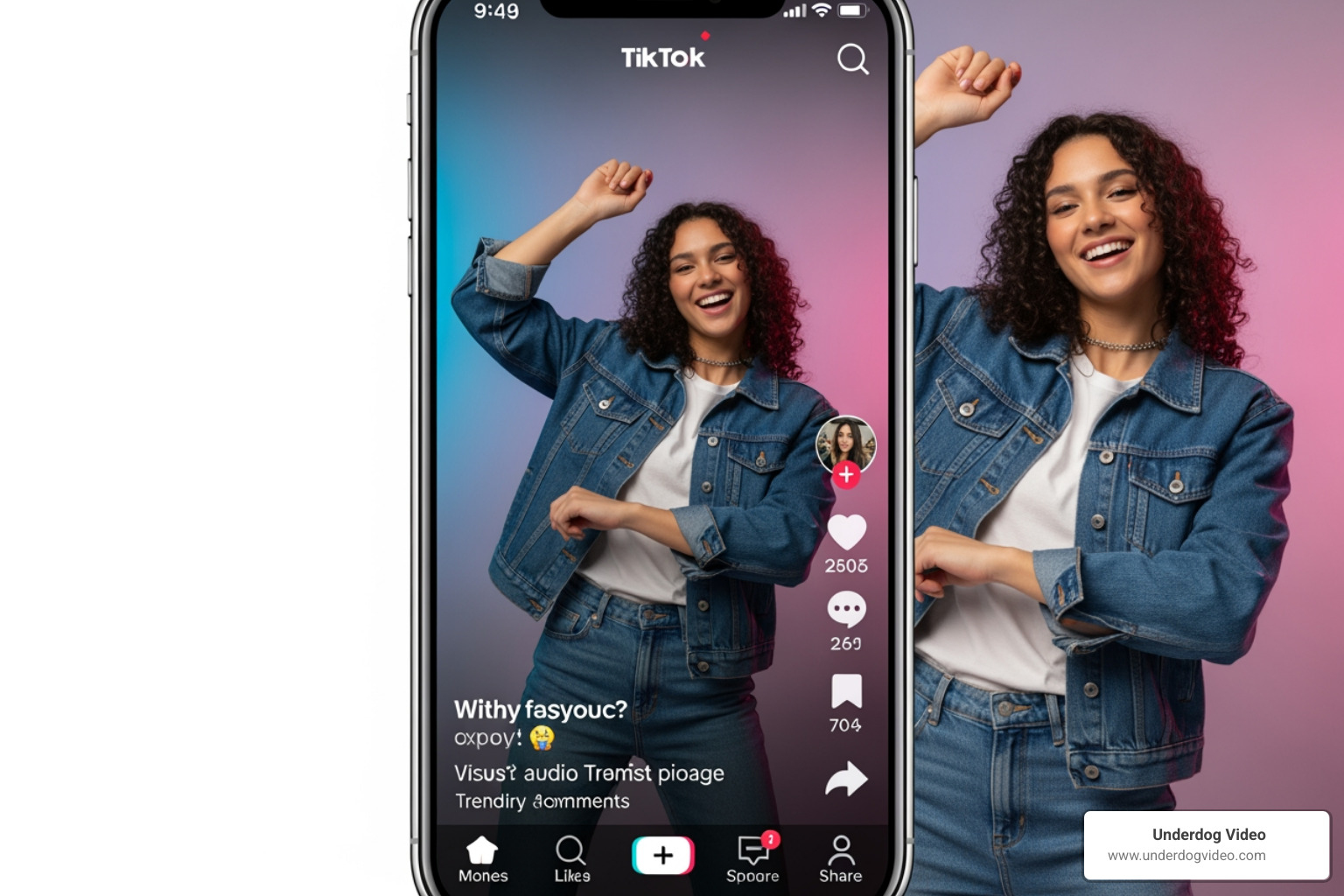
    viral TikTok ad format showing vertical video with high personality and engagement

    Critical Factors That Influence Your Advertising Budget

    Why does one business pay $0.50 per click while another in the same city pays $2.00? It comes down to these variables:

    1. Audience Granularity: If you try to target “everyone in the US,” your ads will be cheap but ineffective. If you target “Marketing Managers in Washington D.C. who love fly fishing,” you will pay more to reach them because they are a premium, specific audience.
    2. Industry Competition: Financial services and real estate typically have much higher social media ads pricing than apparel or entertainment because the “value” of a lead is much higher.
    3. Ad Relevance Score: Platforms give your ad a “grade.” High engagement (likes, shares, views) tells the platform your ad is good, which lowers your costs.
    4. The Q5 Window: This is the “secret” period from mid-December to early January. Most big brands blow their budget on Black Friday and pause in December. This leaves a window where CPMs drop by 15%–20% while consumer attention is still high.
    5. Creative Fatigue: If you run the same ad for too long, people stop clicking. When your Click-Through Rate (CTR) drops, your costs go up. We recommend a creative refresh every 7–10 days for high-spend campaigns.

    For a deeper dive into these variables, check out the Social Media Marketing Costs 2026: Complete Pricing Guide.

    Proven Strategies to Lower Costs and Boost ROI

    We don’t want you just to spend money; we want you to make it. Here is how we help our clients at Underdog Video maximize their budgets:

    • The 70/30 Split: Allocate 70% of your budget to “Prospecting” (finding new people) and 30% to “Retargeting” (showing ads to people who already visited your site). Retargeting ads almost always have the lowest CPA.
    • Prioritize Video: As experts in cinematic post-production, we’ve seen that video generates significantly more engagement than static images. In 2026, if you aren’t using video, you are likely overpaying for your reach.
    • A/B Testing: Never guess. Test two different headlines or two different video hooks. Even a small 10% improvement in your click rate can save you thousands of dollars over a year.
    • Use Exclusion Lists: Don’t waste money showing “Buy Now” ads to people who just bought from you yesterday. Use exclusion lists to keep your targeting fresh.
    • Lifetime Budgets: Instead of a daily cap, try a lifetime budget. This allows the platform’s algorithm to spend more on “cheap” days (like Tuesdays) and less on expensive, competitive days.

    Frequently Asked Questions about Social Media Ads Pricing

    What is a realistic monthly budget for a small business in 2026?

    For most small businesses, a realistic starting range is $750 to $2,500 per month. This allows for enough “data” to be collected so the algorithms can optimize. If you spend less than $500, you may find it difficult to move the needle in a competitive market like Washington D.C.

    What is the difference between ad spend and ad management fees?

    Ad spend is the money that goes into the “pockets” of Facebook or TikTok to show the ads. Ad management fees are what you pay a professional to ensure that money isn’t wasted. Think of it like a car: ad spend is the gasoline, and management is the mechanic who ensures the engine is running efficiently.

    Which social platform currently offers the lowest cost per lead?

    Currently, TikTok Lead Forms and Facebook Lead Ads are neck-and-neck, with an average cost per lead around $5.83. However, TikTok often wins for brands targeting a younger, high-energy demographic, while Facebook remains the king for local service businesses and B2B.

    Conclusion

    Navigating social media ads pricing can feel like trying to hit a moving target, but it doesn’t have to be a gamble. By understanding the auction mechanics, choosing the right platforms, and prioritizing high-quality video content, you can drive massive growth without “losing your shirt.”

    At Underdog Video, we bring over 20 years of Washington D.C.-based expertise to every project. We don’t just edit videos; we create cinematic assets designed to lower your ad costs and increase your revenue. Whether you are looking for cinematic post-production or a complete social media ad strategy, we are here to help brands nationwide stand out.

    Ready to stop guessing and start growing? Master your social media ads strategy with us today.
  • Stop Scrolling and Start Editing Better Ads Today

    Stop Scrolling and Start Editing Better Ads Today

    Why an Ads Video Editor Is the Difference Between Scrolling Past and Stopping to Watch

    An ads video editor is a tool or professional service used to create, cut, and optimize video content specifically for paid advertising across platforms like Instagram, TikTok, Facebook, and YouTube.

    Here are the most important things to know:

    • Best for beginners: Browser-based tools like Adobe Express, Animoto, and Microsoft Clipchamp offer free tiers with drag-and-drop editing and templates
    • Best for speed and scale: AI-powered platforms like Adscene and AI Ad Maker can produce a finished ad in minutes with 90–95% lower cost than traditional production
    • Best for quality and conversion: A professional video editor with direct-response experience will deliver the highest-performing creative, especially for paid campaigns
    • Key features to look for: 1080p export, aspect ratio resizing, royalty-free music, text overlays, and brand kit support
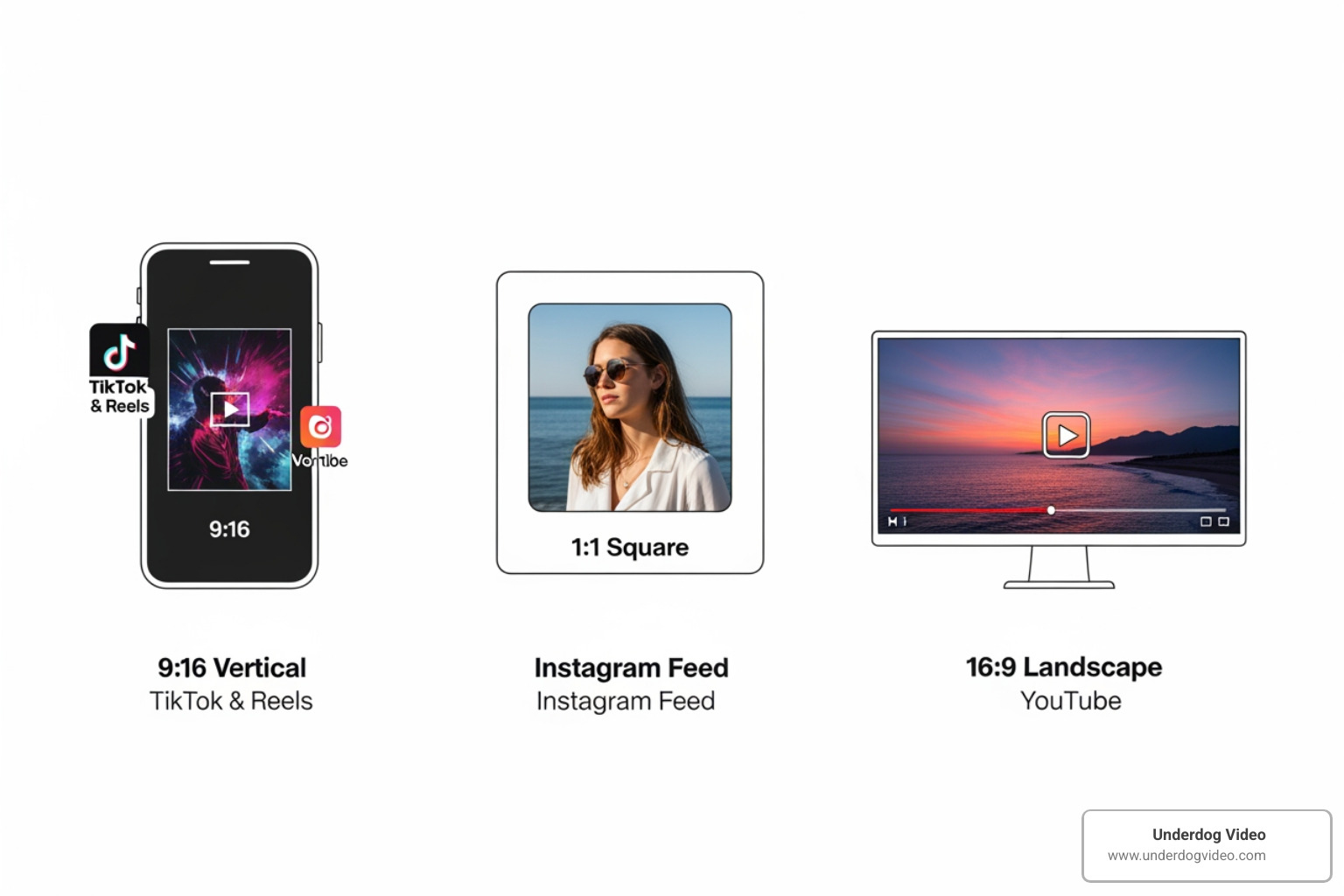
    • Platform formats matter: Use 9:16 for TikTok and Reels, 1:1 for Facebook feed, 16:9 for YouTube

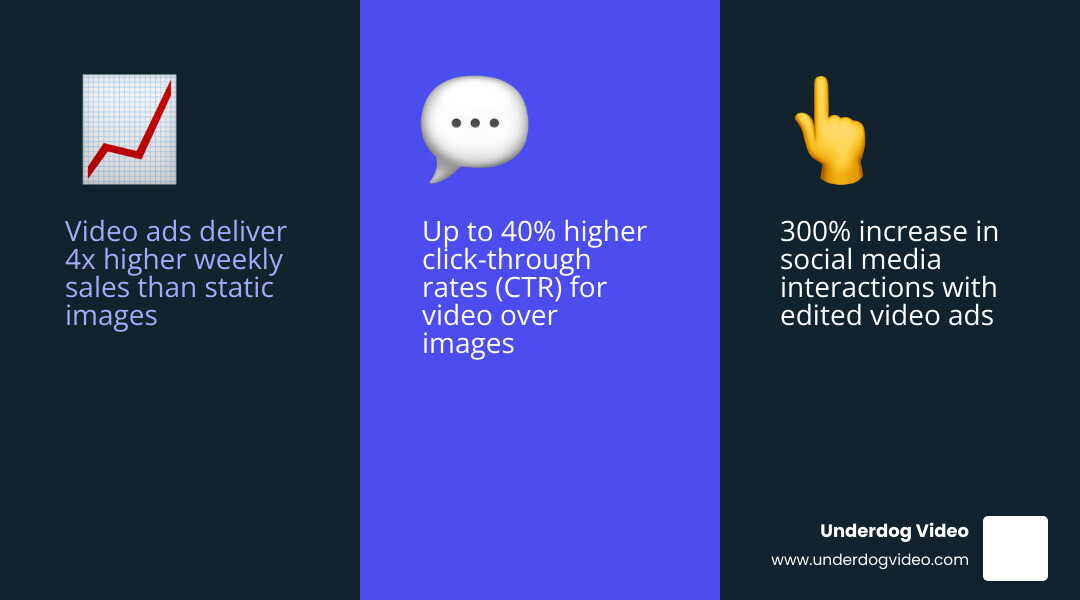
    Your video footage is only as powerful as the edit behind it. Raw clips don’t convert — crafted ones do. Brands that invest in proper video ad editing see real results: studies and platform data point to outcomes like 4x more weekly sales, 300%+ increases in social interactions, and up to 40% higher click-through rates compared to static image ads.

    The problem is that most small businesses and brand managers are sitting on great footage with no clear path from raw files to a scroll-stopping ad. The gap between “we have video” and “our video is making us money” is almost always in the edit.

    That gap is exactly what this guide closes.

    I’m Christian D. Van Norden, founder of Underdog Video and a certified Adobe Professional with 20+ years of experience working as an ads video editor for brands ranging from boutique hotels to national campaigns. In this guide, I’ll walk you through everything — from choosing the right tools to building ads that actually convert.

    Infographic showing ROI of video ads vs static ads including CTR, sales lift, and engagement rates infographic

    Why Every Brand Needs a Dedicated Ads Video Editor in 2026

    In the fast-moving landscape of 2026, the demand for video content has exploded while attention spans have shriveled. We’ve seen that brands utilizing a specialized ads video editor don’t just “post more”; they perform better. The statistics are hard to ignore: companies using video ads have reported up to 4x higher weekly sales and a staggering 300% increase in social media interactions.

    Modern marketing is no longer about one “hero” video that lasts all year. It’s about high-velocity, direct-response creative that speaks to specific audience segments. Whether you are aiming for an 8% increase in page likes or looking to drive 500+ clicks to your website in a single weekend, the quality of your edit is the primary lever for success.

    For those looking to build a career in this field or brands looking to hire, the market is booming. You can find numerous Video Editor jobs in Washington DC-Baltimore Area – LinkedIn that specifically call for expertise in ad creation. This isn’t just about knowing how to cut clips; it’s about understanding the psychology of why people stop scrolling. A professional ads video editor knows that an ad for brand awareness requires a different emotional arc than a direct-response ad designed to sell a pair of sneakers in the next 30 seconds.

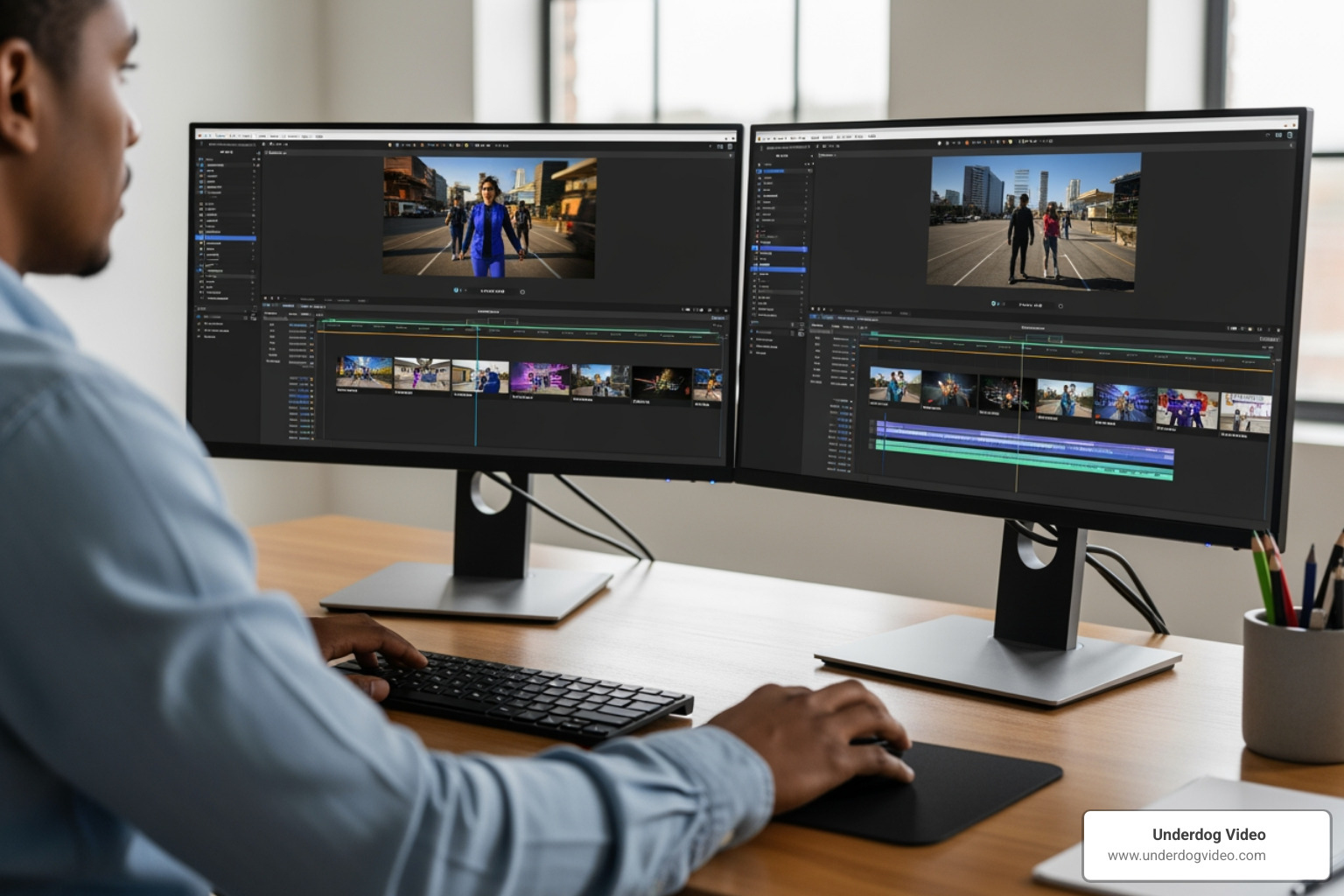
    Professional editing suite with multiple monitors and high-end hardware

    Mastering the Ads Video Editor Interface

    If you’re just starting, the interface of a modern ads video editor might look intimidating, but most are built on a few core principles. Whether you’re using a browser-based tool or professional software, you’ll likely encounter a drag-and-drop timeline. This is where the magic happens.

    You’ll want to look for features like:

    • Timeline Editing: The ability to layer clips, text, and music precisely.
    • 1080p HD Exports: In 2026, anything less than high definition looks amateur and hurts your brand’s credibility.
    • Brand Kits: These allow us to save logos, specific hex codes for colors, and custom fonts. Consistency is key to building trust.
    • Asset Management: A good editor helps you organize your User-Generated Content (UGC) and stock assets so you aren’t hunting through folders for that one winning clip.

    AI-Powered Tools for Rapid Scaling

    The biggest shift we’ve seen recently is the rise of AI within the ads video editor space. For brands that need to scale—say, creating 12 different variations of an ad for A/B testing in a single afternoon—AI is a game-changer.

    Research shows that AI-powered ad makers can lead to a 95% reduction in creative costs and a 10x faster creation process. Beyond just speed, these tools can improve performance, with some brands seeing a 40% higher CTR. AI features like automatic silence removal, auto-generated subtitles in over 100 languages, and global localization make it possible for a small team in Washington D.C. to run a worldwide campaign without a massive production budget.

    Essential Features of a High-Converting Video Ad Maker

    When choosing your ads video editor, don’t just look at the price tag. Look at the toolkit. A high-converting ad requires more than just a “cut” tool. You need a library of royalty-free music and stock media to fill the gaps in your own footage.

    Adding text overlays is non-negotiable—most people watch ads with the sound off, so if they can’t read what you’re selling, they’re gone. You also need to ensure you have full commercial usage rights for every asset you use. Nothing kills a campaign faster than a copyright strike.

    Free vs. Paid Editor Features

    Feature Free Tier Editors Paid/Professional Editors
    Watermarks Often included on export No watermarks
    Export Quality Usually limited to 720p or 1080p 4K and high-bitrate options
    Stock Library Limited selection Millions of premium assets
    AI Tools Basic (e.g., auto-caption) Advanced (e.g., voice cloning, object removal)
    Collaboration Limited or none Real-time cloud collaboration

    Crafting the Perfect Hook and CTA in Your Ads Video Editor

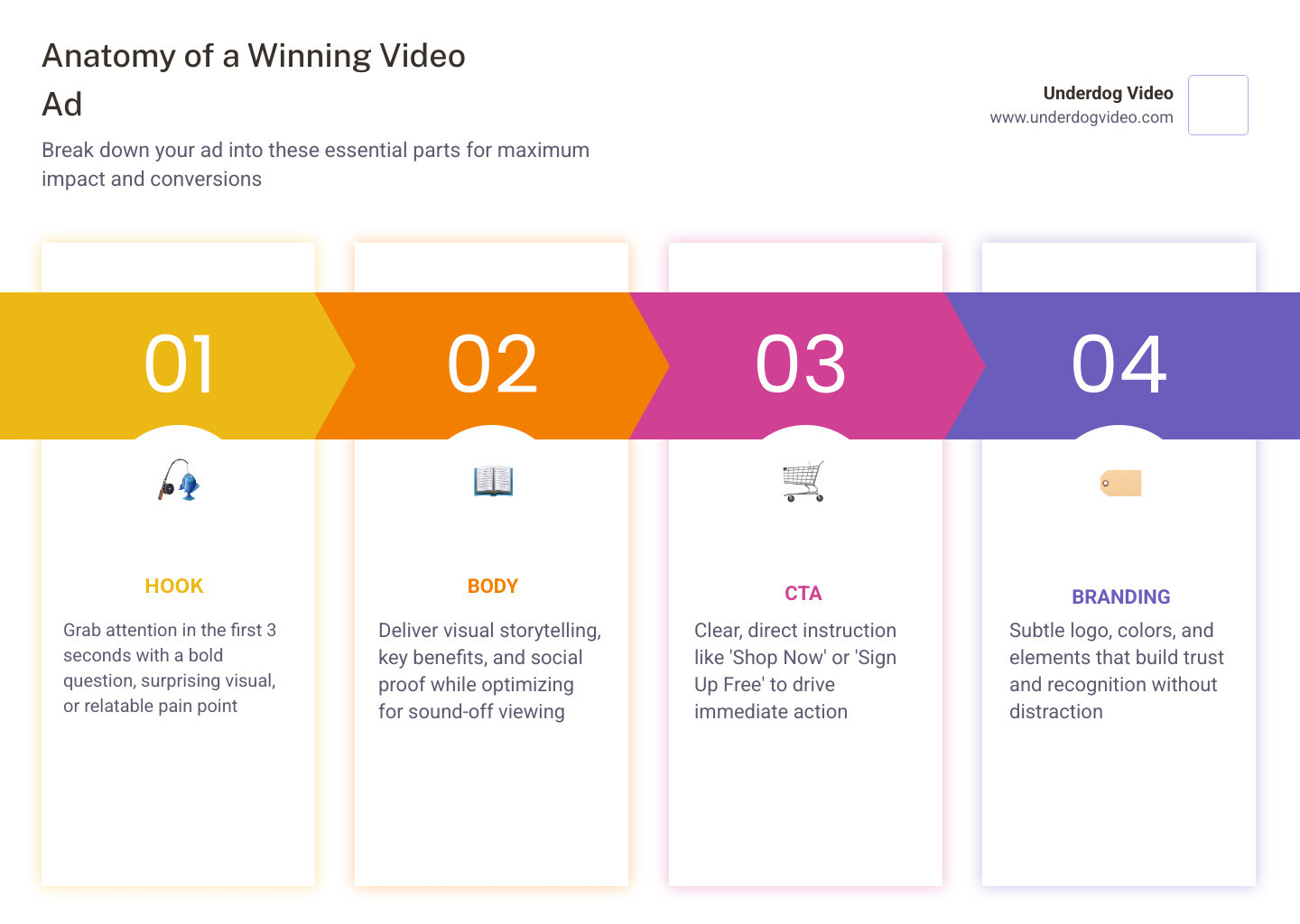
    As an ads video editor, we live and die by the first three seconds. This is the “hook.” If you don’t grab them immediately with a bold question, a surprising visual, or a relatable pain point, the rest of the video doesn’t matter.

    Direct response editing is a specific skill set. In fact, there are currently 36 Video Editor Direct Response jobs in United States – LinkedIn specifically looking for people who can drive conversions. Once you have the hook, you need a clear Call-to-Action (CTA). Tell them exactly what to do: “Shop Now,” “Sign Up,” or “Get the Deal.” We monitor engagement metrics like watch time and drop-off rates to see exactly where we’re losing people and then we edit the next version to fix it.

    Optimizing Ratios for Multi-Platform Success

    One of the most common mistakes we see is using a “one-size-fits-all” video. A landscape 16:9 video meant for YouTube will look terrible on TikTok. Your ads video editor should make it easy to resize your content with one click.

    • 9:16 Vertical: Essential for TikTok, Instagram Reels, and YouTube Shorts. This is where the highest engagement lives today.
    • 1:1 Square: Perfect for the Facebook and Instagram main feeds.
    • 16:9 Landscape: Still the king for traditional YouTube ads and LinkedIn professional content.

    Graphic showing cross-platform aspect ratio presets for social media

    Best Practices for Professional Ad Production

    To stand out in 2026, your ads need to feel authentic. While AI is great for scaling, we’ve found that authentic, human-centric footage often beats purely synthetic content in terms of long-term brand trust. We recommend using your ads video editor to polish real-world footage rather than trying to manufacture it entirely from scratch.

    Don’t just make one version of your ad. Use your editor to create script variations and perform A/B testing. Maybe a different voiceover works better for a younger audience, or perhaps a different color grade changes the mood of the product reveal.

    Infographic showing the anatomy of a winning video ad: Hook, Body, CTA, and Branding infographic

    Frequently Asked Questions about Video Ad Creation

    How long should a video ad be for maximum engagement?

    For most social platforms, the “sweet spot” is 15–30 seconds. Short-form content is king because attention spans are limited. However, for YouTube or more complex product demos, you can go longer—up to 60 or 90 seconds—as long as the value is clear from the start.

    Yes, it is legal, provided you are using tools that have obtained proper actor consent and you are following truth-in-advertising laws. Always ensure your ads video editor or AI platform provides you with full commercial usage rights so you don’t run into legal trouble down the road.

    How do I ensure high-quality exports without advanced technical skills?

    The easiest way is to use a template-based ads video editor. These tools have the bitrate and resolution settings (aim for 1080p) pre-configured. Browser-based editing has come a long way, allowing you to produce professional results without needing a $5,000 computer.

    Conclusion

    At the end of the day, an ads video editor is more than just software; it’s the engine of your digital growth. Whether you are a small business owner in Washington D.C. using a free tool to make your first Reels ad, or a national brand looking for high-end cinematic production, the goal is the same: stop the scroll and start the conversation.

    At Underdog Video, we bring over 20 years of Washington D.C.-based expertise to the table. We specialize in cinematic post-production and revenue-driven video marketing that helps brands nationwide turn views into value. If you’re ready to move beyond basic templates and want an ad that truly reflects the quality of your brand, we’re here to help.

    Stop settling for average and start editing better ads today with Underdog Video.

  • How I Use AI in Post-Production (Without Losing the Soul)

    How I Use AI in Post-Production (Without Losing the Soul)

    The fear: AI replaces editors. The reality: AI replaces the parts of editing that nobody actually likes doing — and gives the human more time to do the part that matters.

    Where I use it

    Transcript-driven rough cuts. Caption generation. Speech enhancement on noisy field audio. Stock-footage search at scale. Color match suggestions on similar shots. All of these are time savings on tedious labor, with a human reviewing every output before it lands in the cut.

    Where I don’t

    Story shape. Pacing. The choice of which take is the take. Anything that touches the emotional arc of a piece. AI can suggest. It can’t decide what your brand sounds like.

    The principle

    If a tool gives me time back, I use it. If a tool would let a client think their video is the same as someone else’s, I don’t.

  • From Raw Footage to Final Cut: My Editorial Workflow

    From Raw Footage to Final Cut: My Editorial Workflow

    Most editorial work runs late because the workflow is reactive. Every project I take on runs on the same eight-milestone structure, and the same predictability is what lets me move fast.

    Ingest and review

    Before anything else: every clip watched, every best take marked, multi-cam synced, bins organized. This is the work that makes every later step faster.

    Rough cut, story-first

    The rough cut is about structure, not polish. I’m looking for the spine of the story. Pacing, transitions, and color come later.

    Fine cut

    Frame-accurate trims, b-roll layered, music ducked, transitions intentional. This is the pass where the cut becomes the cut.

    Color, audio, revisions, delivery

    Each gets its own dedicated pass. Three rounds of client revisions are built in. Final master export, format variants, archival backup.

  • Why Vertical Video Wins in 2026 (And When It Doesn’t)

    Why Vertical Video Wins in 2026 (And When It Doesn’t)

    Every brief eventually asks the same question: should we shoot vertical? The honest answer is yes, no, and it depends on the surface where it lives.

    The simple test

    If your story has a single subject and the frame can stay close, vertical wins on every social platform. If your story has more than one subject in conversation, or relies on environment as character, horizontal still earns its keep — and you can cutdown to vertical with intentional crops.

    The intentional crop

    The mistake brands make is treating vertical as a center-crop of horizontal. Composition has to be built for the frame you’re delivering. That sometimes means shooting twice — and the budget is worth it.

    When horizontal still wins

    Hero films on a brand site. Long-form interviews. Anything where the viewer is leaning in instead of thumbing past. Don’t be afraid to keep the wide frame where it belongs.

  • The Power of Cinematic Color Grading (Beyond the LUT)

    The Power of Cinematic Color Grading (Beyond the LUT)

    A LUT can balance your footage. A grade tells your audience what to feel. The difference is roughly a couple of hours per project, and it’s the difference clients notice before they can articulate why.

    Step one: correct, don’t grade

    Before any creative move, every shot has to match the one next to it. White balance, exposure, contrast, density. If you’re grading shot-by-shot without matching first, you’re creating new problems while you solve old ones.

    Step two: protect skin tones

    Whatever your creative grade does to the rest of the frame, skin should stay believable. Pull a secondary on skin tones, lock the hue, then let the rest of the frame go where the story wants.

    Step three: make a choice

    A film look isn’t an effect. It’s a series of small decisions: blacks that hold detail, highlights that retain warmth, saturation that breathes in the midtones. The choice is what makes it yours.

  • Behind the Cut: How I Shaped the MPL Brand Reveal

    Behind the Cut: How I Shaped the MPL Brand Reveal

    When Match Point League came to me, they had two non-negotiables: a logo reveal that earned its lighting cue, and a video that worked equally well in a 15-second pre-roll and a 45-second hero edit. Here’s how the cut came together.

    The brief

    America’s first tennis and pickleball matchmaking league wanted a piece that felt like a championship final — but compressed into the time it takes to scroll past a story.

    The structure

    I built the cut around a three-act compression: the empty stadium, the players entering, the moment of contact. Everything else gets cut. Every transition is motivated by a real physical event in the frame — a ball striking, a player turning, a light igniting.

    The logo reveal

    The brief said “motion-tracked tennis ball.” The right answer turned out to be a pickleball — heavier silhouette, harder edge, reads at thumbnail size. We tracked the bounce through three live-action plates, then handed off to motion graphics for the final logo lock.

    The grade

    Stadium lighting at twilight is the look you want and the look you can’t shoot. We graded the night plates as if they’d been lit with a single warm key, then crushed the blacks just enough to keep the brand color saturated against them.

  • 5 Mistakes Killing Your Brand Video (And How to Fix Them)

    5 Mistakes Killing Your Brand Video (And How to Fix Them)

    Every week I get raw footage that should sing — interviews with founders who light up the room, B-roll with real texture, audio you can practically taste. And every week I watch brands sabotage that material in the edit. Here are the five mistakes I see most often, with the fix that takes ten minutes to apply.

    1. The first three seconds are wasted

    Logo stings. Slow zooms into title cards. Drone shots that build for eight seconds before the human appears. By the time the actual story starts, half your audience has scrolled. Open on a face. Open on a question. Open on the moment that hooked you when you watched the footage the first time.

    2. The music is doing too much work

    If you take the music out and the cut falls apart, the cut is the problem, not the music. Build the edit to picture first, then let the track support — not the other way around.

    3. Color that flattens everything

    A LUT is a starting point, not the answer. Your hero shots deserve a real grade — secondary color on skin tones, contrast that holds in highlights, blacks with depth. Five minutes per hero shot is the difference between “corporate” and “cinematic.”

    4. Captions as an afterthought

    85% of social video plays muted. Captions are the script. Treat them like brand typography — readable size, consistent placement, on-brand color.

    5. One video, one length

    The same story deserves a 60s, a 30s, and a 15s. Built from the same master, with intentional cutdown logic. If you’re only exporting one length, you’re leaving distribution on the table.