
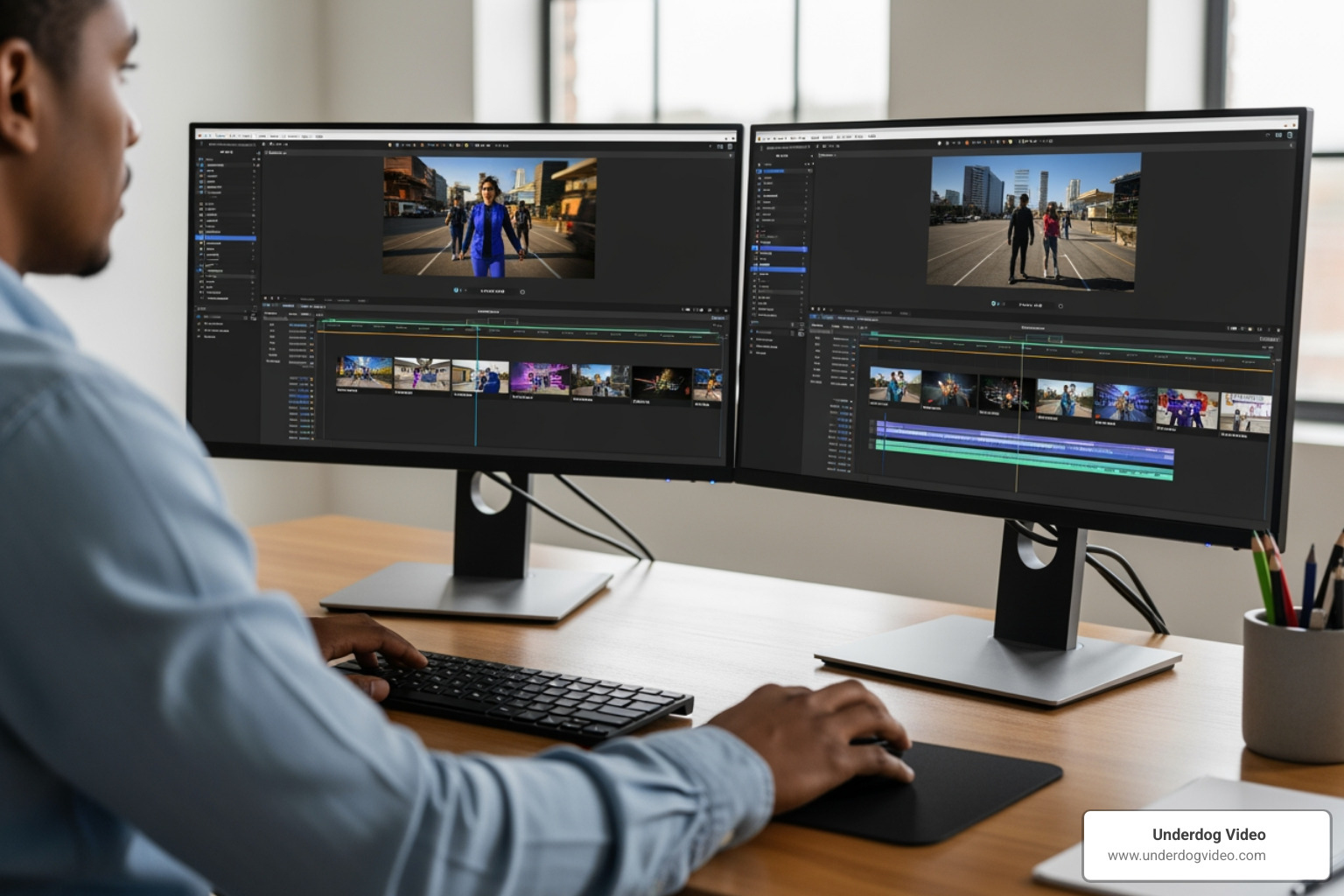
Why an Ads Video Editor Is the Difference Between Scrolling Past and Stopping to Watch
An ads video editor is a tool or professional service used to create, cut, and optimize video content specifically for paid advertising across platforms like Instagram, TikTok, Facebook, and YouTube.
Here are the most important things to know:
- Best for beginners: Browser-based tools like Adobe Express, Animoto, and Microsoft Clipchamp offer free tiers with drag-and-drop editing and templates
- Best for speed and scale: AI-powered platforms like Adscene and AI Ad Maker can produce a finished ad in minutes with 90–95% lower cost than traditional production
- Best for quality and conversion: A professional video editor with direct-response experience will deliver the highest-performing creative, especially for paid campaigns
- Key features to look for: 1080p export, aspect ratio resizing, royalty-free music, text overlays, and brand kit support
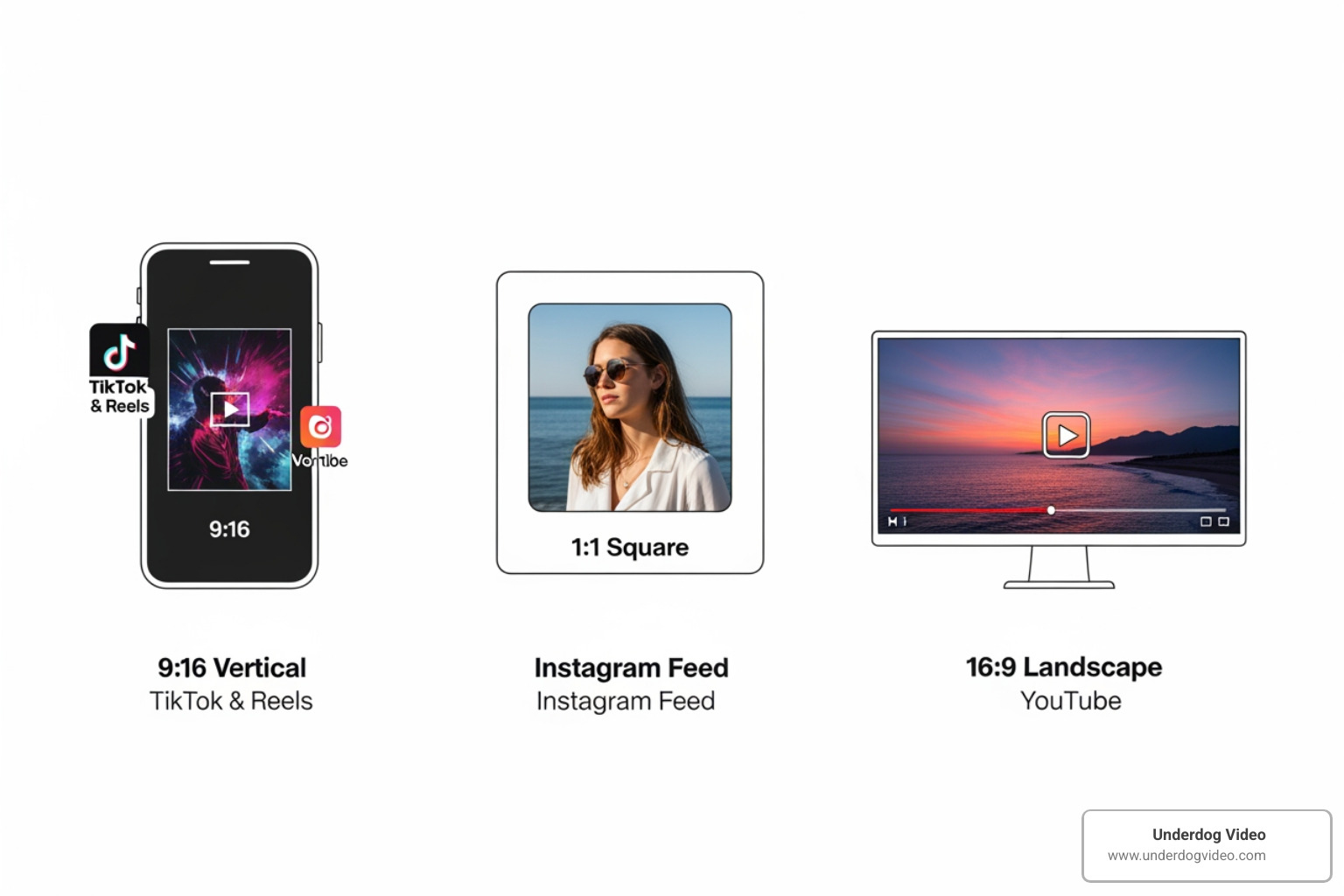
- Platform formats matter: Use 9:16 for TikTok and Reels, 1:1 for Facebook feed, 16:9 for YouTube
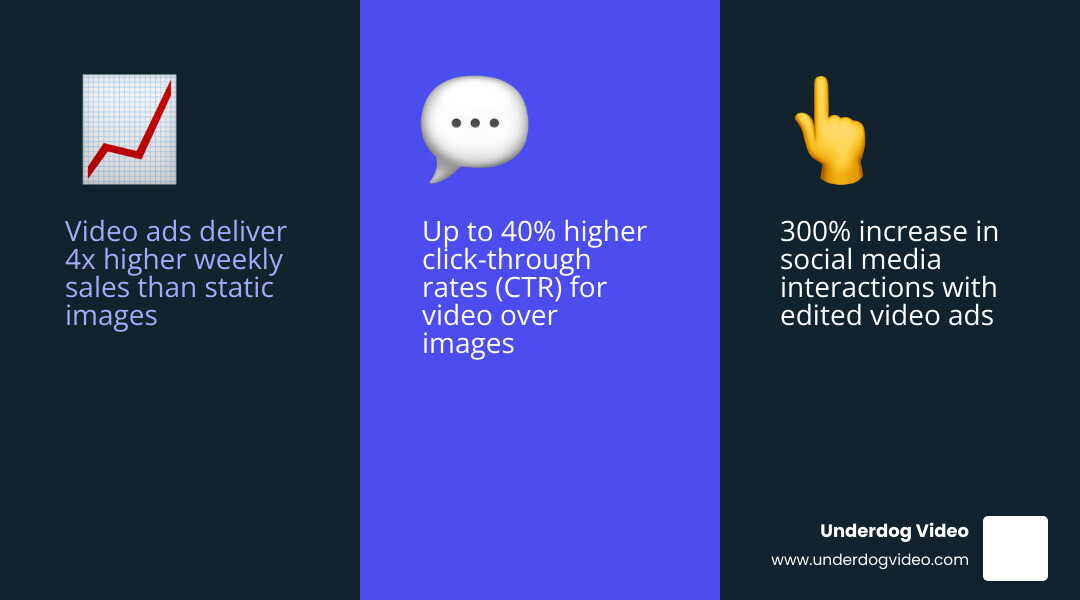
Your video footage is only as powerful as the edit behind it. Raw clips don’t convert — crafted ones do. Brands that invest in proper video ad editing see real results: studies and platform data point to outcomes like 4x more weekly sales, 300%+ increases in social interactions, and up to 40% higher click-through rates compared to static image ads.
The problem is that most small businesses and brand managers are sitting on great footage with no clear path from raw files to a scroll-stopping ad. The gap between “we have video” and “our video is making us money” is almost always in the edit.
That gap is exactly what this guide closes.
I’m Christian D. Van Norden, founder of Underdog Video and a certified Adobe Professional with 20+ years of experience working as an ads video editor for brands ranging from boutique hotels to national campaigns. In this guide, I’ll walk you through everything — from choosing the right tools to building ads that actually convert.
Why Every Brand Needs a Dedicated Ads Video Editor in 2026
In the fast-moving landscape of 2026, the demand for video content has exploded while attention spans have shriveled. We’ve seen that brands utilizing a specialized ads video editor don’t just “post more”; they perform better. The statistics are hard to ignore: companies using video ads have reported up to 4x higher weekly sales and a staggering 300% increase in social media interactions.
Modern marketing is no longer about one “hero” video that lasts all year. It’s about high-velocity, direct-response creative that speaks to specific audience segments. Whether you are aiming for an 8% increase in page likes or looking to drive 500+ clicks to your website in a single weekend, the quality of your edit is the primary lever for success.
For those looking to build a career in this field or brands looking to hire, the market is booming. You can find numerous Video Editor jobs in Washington DC-Baltimore Area – LinkedIn that specifically call for expertise in ad creation. This isn’t just about knowing how to cut clips; it’s about understanding the psychology of why people stop scrolling. A professional ads video editor knows that an ad for brand awareness requires a different emotional arc than a direct-response ad designed to sell a pair of sneakers in the next 30 seconds.

Mastering the Ads Video Editor Interface
If you’re just starting, the interface of a modern ads video editor might look intimidating, but most are built on a few core principles. Whether you’re using a browser-based tool or professional software, you’ll likely encounter a drag-and-drop timeline. This is where the magic happens.
You’ll want to look for features like:
- Timeline Editing: The ability to layer clips, text, and music precisely.
- 1080p HD Exports: In 2026, anything less than high definition looks amateur and hurts your brand’s credibility.
- Brand Kits: These allow us to save logos, specific hex codes for colors, and custom fonts. Consistency is key to building trust.
- Asset Management: A good editor helps you organize your User-Generated Content (UGC) and stock assets so you aren’t hunting through folders for that one winning clip.
AI-Powered Tools for Rapid Scaling
The biggest shift we’ve seen recently is the rise of AI within the ads video editor space. For brands that need to scale—say, creating 12 different variations of an ad for A/B testing in a single afternoon—AI is a game-changer.
Research shows that AI-powered ad makers can lead to a 95% reduction in creative costs and a 10x faster creation process. Beyond just speed, these tools can improve performance, with some brands seeing a 40% higher CTR. AI features like automatic silence removal, auto-generated subtitles in over 100 languages, and global localization make it possible for a small team in Washington D.C. to run a worldwide campaign without a massive production budget.
Essential Features of a High-Converting Video Ad Maker
When choosing your ads video editor, don’t just look at the price tag. Look at the toolkit. A high-converting ad requires more than just a “cut” tool. You need a library of royalty-free music and stock media to fill the gaps in your own footage.
Adding text overlays is non-negotiable—most people watch ads with the sound off, so if they can’t read what you’re selling, they’re gone. You also need to ensure you have full commercial usage rights for every asset you use. Nothing kills a campaign faster than a copyright strike.
Free vs. Paid Editor Features
| Feature | Free Tier Editors | Paid/Professional Editors |
|---|---|---|
| Watermarks | Often included on export | No watermarks |
| Export Quality | Usually limited to 720p or 1080p | 4K and high-bitrate options |
| Stock Library | Limited selection | Millions of premium assets |
| AI Tools | Basic (e.g., auto-caption) | Advanced (e.g., voice cloning, object removal) |
| Collaboration | Limited or none | Real-time cloud collaboration |
Crafting the Perfect Hook and CTA in Your Ads Video Editor
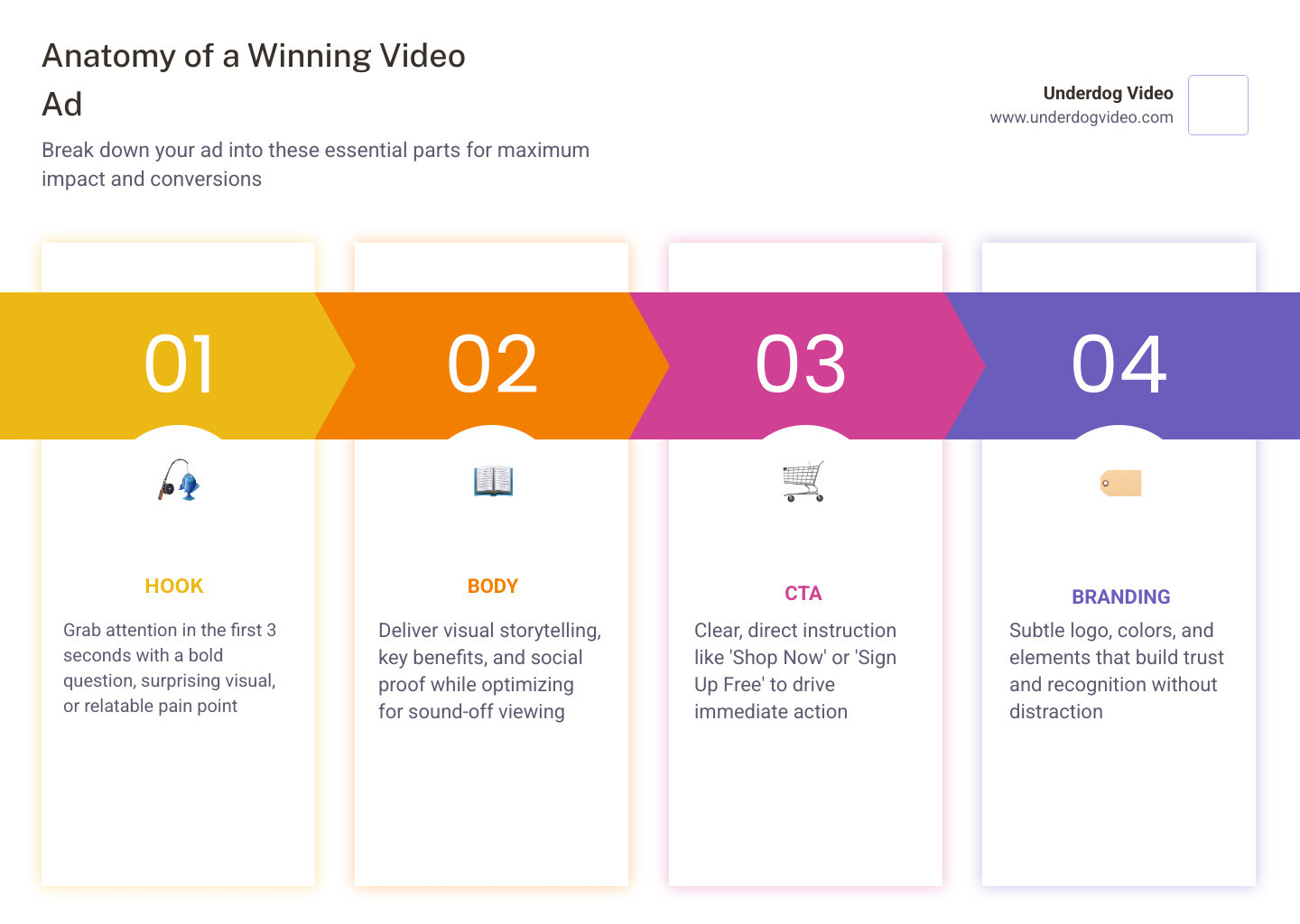
As an ads video editor, we live and die by the first three seconds. This is the “hook.” If you don’t grab them immediately with a bold question, a surprising visual, or a relatable pain point, the rest of the video doesn’t matter.
Direct response editing is a specific skill set. In fact, there are currently 36 Video Editor Direct Response jobs in United States – LinkedIn specifically looking for people who can drive conversions. Once you have the hook, you need a clear Call-to-Action (CTA). Tell them exactly what to do: “Shop Now,” “Sign Up,” or “Get the Deal.” We monitor engagement metrics like watch time and drop-off rates to see exactly where we’re losing people and then we edit the next version to fix it.
Optimizing Ratios for Multi-Platform Success
One of the most common mistakes we see is using a “one-size-fits-all” video. A landscape 16:9 video meant for YouTube will look terrible on TikTok. Your ads video editor should make it easy to resize your content with one click.
- 9:16 Vertical: Essential for TikTok, Instagram Reels, and YouTube Shorts. This is where the highest engagement lives today.
- 1:1 Square: Perfect for the Facebook and Instagram main feeds.
- 16:9 Landscape: Still the king for traditional YouTube ads and LinkedIn professional content.
Best Practices for Professional Ad Production
To stand out in 2026, your ads need to feel authentic. While AI is great for scaling, we’ve found that authentic, human-centric footage often beats purely synthetic content in terms of long-term brand trust. We recommend using your ads video editor to polish real-world footage rather than trying to manufacture it entirely from scratch.
Don’t just make one version of your ad. Use your editor to create script variations and perform A/B testing. Maybe a different voiceover works better for a younger audience, or perhaps a different color grade changes the mood of the product reveal.
Frequently Asked Questions about Video Ad Creation
How long should a video ad be for maximum engagement?
For most social platforms, the “sweet spot” is 15–30 seconds. Short-form content is king because attention spans are limited. However, for YouTube or more complex product demos, you can go longer—up to 60 or 90 seconds—as long as the value is clear from the start.
Is it legal to use AI-generated avatars and voices in commercial ads?
Yes, it is legal, provided you are using tools that have obtained proper actor consent and you are following truth-in-advertising laws. Always ensure your ads video editor or AI platform provides you with full commercial usage rights so you don’t run into legal trouble down the road.
How do I ensure high-quality exports without advanced technical skills?
The easiest way is to use a template-based ads video editor. These tools have the bitrate and resolution settings (aim for 1080p) pre-configured. Browser-based editing has come a long way, allowing you to produce professional results without needing a $5,000 computer.
Conclusion
At the end of the day, an ads video editor is more than just software; it’s the engine of your digital growth. Whether you are a small business owner in Washington D.C. using a free tool to make your first Reels ad, or a national brand looking for high-end cinematic production, the goal is the same: stop the scroll and start the conversation.
At Underdog Video, we bring over 20 years of Washington D.C.-based expertise to the table. We specialize in cinematic post-production and revenue-driven video marketing that helps brands nationwide turn views into value. If you’re ready to move beyond basic templates and want an ad that truly reflects the quality of your brand, we’re here to help.
Stop settling for average and start editing better ads today with Underdog Video.